1
Upload Your Reference Photo
Upload the portrait, pet, landscape, or design you want to burn into wood.
Transform any photo into a wood burning pattern. Clean line art optimized for pyrography transfer and hand burning.
Updated · Free · No signup
Drop your photo here
or click to browse
PNG, JPG, WEBP up to 10MB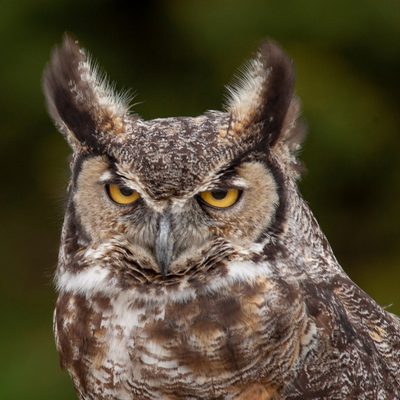
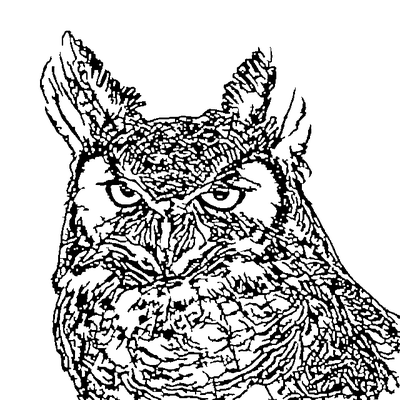
AI handles the complex image processing automatically
Upload the portrait, pet, landscape, or design you want to burn into wood.
Crop to the exact area you want to burn. Consider the shape and size of your wood blank.
AI extracts clean lines at the right density for hand burning - clear guidelines without overwhelming detail.
Print the pattern, transfer to wood using graphite paper or a laser printer transfer, and start burning.
Line density is optimized for hand burning - enough detail to capture your subject without creating an overwhelming tangle of lines that is impossible to burn.
Adjust line complexity. Simpler patterns for beginners, highly detailed patterns for experienced pyrography artists tackling realistic portraits.
AI preserves the features that make portraits recognizable, which is critical for pyrography where every burn line contributes to likeness.
Add shading guides, remove distracting lines, or simplify areas using our built-in editor before printing your transfer pattern.
Pattern works with graphite transfer paper, laser printer transfers, charcoal rub transfers, or direct freehand reference.
SVG scales perfectly. Print patterns for small ornaments up to large wall plaques without losing quality.
Create detailed pyrography portraits from family photos and pet pictures.
Turn nature and wildlife photos into stunning wood burning patterns.
Make personalized pyrography gifts - cutting boards, boxes, plaques, and ornaments.
Speed up commission turnaround by generating patterns from client photos instantly.
The most popular method is graphite transfer paper: print the pattern, tape it over graphite paper on your wood, and trace the lines with a ballpoint pen. Alternatively, print on a laser printer and use an iron or acetone to transfer the toner directly to the wood surface.
Light-colored, fine-grained hardwoods produce the best results. Basswood is the most popular choice for beginners and experts alike. Birch, maple, and poplar also work well. Avoid softwoods like pine as the uneven grain causes inconsistent burning depth.
Match the detail level to your skill and tool. Beginners should start with simpler patterns that focus on outlines and major features. Experienced burners can use higher detail for realistic shading guidelines. You can always add freehand detail beyond what the pattern shows.
If you have a laser engraver, the SVG file works directly with laser software like LightBurn or Glowforge. For traditional pyrography pens, you will need to transfer the pattern to wood first. Both approaches benefit from the clean lineart our AI produces.
Use a fine writing tip or ball tip for outlines and detail work, then switch to a shading tip for filling in dark areas. Our pattern provides the line work; shading depth and gradient are controlled by your pen pressure and speed during the actual burning process.
Upload your image now and get a professional vector file in seconds