1
Upload Your Photo
Upload any photo you want to engrave on your Glowforge - portraits, pets, logos, or artwork.
Create Glowforge-ready designs from any photo. Optimized for the Glowforge app and engraving workflow.
Updated · Free · No signup
Drop your photo here
or click to browse
PNG, JPG, WEBP up to 10MB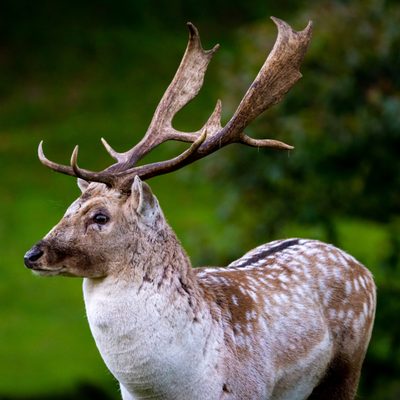
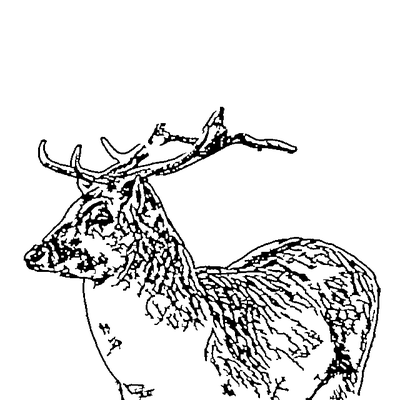
AI handles the complex image processing automatically
Upload any photo you want to engrave on your Glowforge - portraits, pets, logos, or artwork.
Crop to your subject. Match the aspect ratio to your material size for best results.
AI extracts clean lineart optimized for Glowforge engraving - proper line weights for wood, acrylic, and leather.
Download the SVG and drag it into the Glowforge app. Set your material, position, and print.
Output is tuned for the Glowforge ecosystem - clean SVG that imports perfectly into the Glowforge app without broken paths or import errors.
Adjust detail level for your material. Less detail for deep wood engraving, more for light surface marking on acrylic.
Works perfectly with Glowforge Proofgrade materials. The SVG imports as an engrave operation with automatic settings.
Clean up your design before sending to the Glowforge. Remove artifacts, strengthen lines, or add text.
Works with Glowforge Basic, Plus, Pro, and Aura. Same clean SVG output for all models.
Skip the Adobe Illustrator step. Go from photo to Glowforge-ready file entirely in your browser.
Download the SVG, upload to the Glowforge app, and it's ready to engrave. The file imports as a single engrave layer.
The output works great on Proofgrade materials - especially wood and acrylic. Also works on leather, paper, and other engraveable materials.
The Glowforge app can engrave raster photos, but results are often washed out and lack contrast. Converting your photo to vector lineart first gives you dramatically sharper, more detailed engravings with better contrast because the laser follows defined paths rather than trying to reproduce pixel shading.
Maple plywood and Baltic birch produce the sharpest engravings due to their tight, consistent grain. Cherry adds warm contrast. Avoid open-grain woods like oak or ash for detailed portraits, as the grain pattern competes with fine details in the engraving.
The Glowforge can engrave remarkably fine detail - lines as thin as 0.1mm are achievable on the Pro model with light materials. Our tool lets you adjust detail level to match your material and Glowforge model. Start with medium detail and increase if your test engravings look good.
Upload your image now and get a professional vector file in seconds