1
Upload Photo
Upload a portrait, pet photo, or any image you want to engrave.
Create laser-ready vector files from any photo. Optimized for portrait engraving on wood, metal, acrylic, and leather.
Updated · Free · No signup
Drop your photo for laser engraving
or click to browse
PNG, JPG, WEBP up to 10MB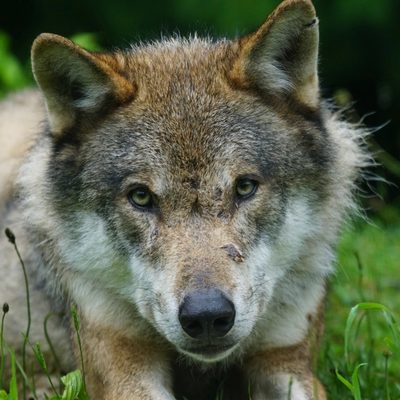
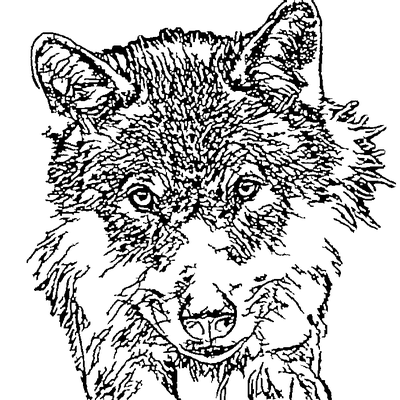
Laser engraving from photos is the process of using a laser machine to etch a photographic image onto a physical material like wood, metal, acrylic, or leather. The laser beam removes or discolors material in precise patterns, reproducing the detail of your original photo as a permanent engraving.
However, most laser software cannot engrave a raw photograph directly with clean results. Photos are raster images made of pixels, while laser engravers work best with vector paths that define exact lines for the laser to follow. Converting your photo to a vector SVG file gives the laser clean, defined paths rather than a grid of dots, resulting in sharper detail, better contrast, and more consistent depth across the engraving.
Our AI-powered converter handles the entire preparation pipeline: background removal, lineart extraction, noise cleanup, and path optimization. The result is a laser-ready SVG that imports directly into EZCAD, LightBurn, LaserGRBL, or any laser control software without additional processing.
AI handles the complex image processing automatically
Upload a portrait, pet photo, or any image you want to engrave.
Select the area to engrave. Square crops work great for medallions and coasters.
AI removes background, extracts clean lines optimized for laser engraving depth.
Download SVG and import directly into EZCAD, LightBurn, or your laser software.
Output is specifically optimized for laser engraving - clean paths, proper line weights, no tiny artifacts that could cause over-burning.
Control how much detail is preserved. More detail for fine fiber laser work, less for deeper CO2 burns.
AI is trained to preserve facial features and important details that make portrait engravings recognizable.
Remove unwanted artifacts, fix broken lines, or add details using our browser-based editor before exporting.
SVG output works with EZCAD, EZCad2, LightBurn, LaserGRBL, RDWorks, K40 Whisperer, and all laser control software.
Everything happens in your browser. No need to learn Photoshop or Illustrator for basic photo preparation.
Create stunning portrait engravings from photos for gifts and memorials.
Design custom medallions, challenge coins, and commemorative pieces.
Engrave cutting boards, coasters, jewelry boxes, and more.
Turn beloved pet photos into lasting engraved keepsakes.
The SVG output works with all laser engravers - fiber lasers (EZCAD), CO2 lasers (LightBurn, K40), diode lasers (LaserGRBL), Glowforge, xTool, Ortur, Atomstack, and any machine that accepts SVG files.
Settings depend on your material and laser. For portraits on wood, start with lower power and multiple passes. Our output is optimized for line engraving mode (not fill).
Use high-contrast photos with clear facial features. Front-facing portraits work better than profiles. Our AI preserves the most important features for recognition.
Yes! For fiber lasers, our vectors work great on anodized aluminum, stainless steel, and coated metals. Adjust your detail level for the material.
Upload your photo and get a laser-ready vector in seconds