1
Upload Your Photo
Drop in any JPG, PNG or WEBP up to 10MB. No account, no watermark.
Convert any photo to SVG vector format instantly. Clean, scalable graphics ready for web, print, or cutting machines.
Updated · Free · No signup
Drop your photo here
or click to browse
PNG, JPG, WEBP up to 10MB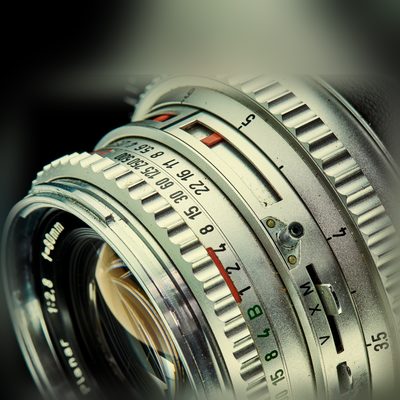
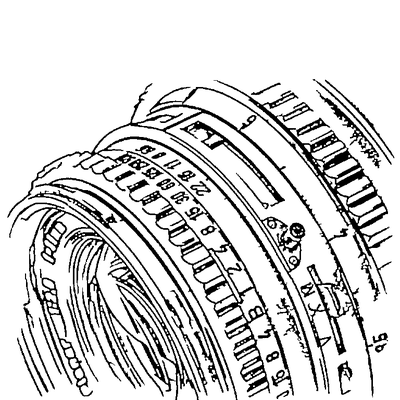
SVG (Scalable Vector Graphics) is the open standard for vector images on the web and in design tools. Unlike a JPG or PNG, an SVG is built from mathematical paths instead of pixels — so it scales to any size without blurring, compresses to a tiny file, and can be styled or animated with CSS.
Turning a photo into SVG unlocks things a raster file can't do: crisp display on every screen and resolution, individually selectable shapes you can recolour or edit, and a format that cutting machines and laser engravers read natively. That makes SVG ideal for logos, icons, web graphics, Cricut and Silhouette projects, and engraving files.
Our converter does the hard part automatically — separating your subject from the background, extracting clean lines, and writing them out as standards-compliant SVG paths that open perfectly in any browser or vector editor.
AI handles the complex image processing automatically
Drop in any JPG, PNG or WEBP up to 10MB. No account, no watermark.
Crop to the subject you want as SVG. A focused crop yields fewer stray paths and a smaller, cleaner file.
The AI removes the background, extracts edges, and converts pixels into smooth, standards-compliant SVG paths.
Get a lightweight, web-ready SVG that scales perfectly and opens in any browser or vector editor.
One SVG looks crisp on every screen and at any size — retina displays, large prints, or tiny favicons.
Vector paths are far lighter than high-res PNGs, so your SVGs load fast and keep pages snappy.
Clean, named SVG paths can be recoloured, animated, or styled directly with CSS in your web project.
Tune how much detail the SVG keeps — minimal for icons and logos, richer for illustrative work.
Clean up paths and remove artifacts in the built-in editor so your SVG ships exactly how you want it.
Everything runs in the browser — no Illustrator or Inkscape just to get a usable SVG from a photo.
SVG (Scalable Vector Graphics) is a vector image format that uses mathematical paths instead of pixels. SVG files can be scaled to any size without losing quality and are supported by all modern browsers and design software.
Converting photos to SVG allows you to scale images infinitely, edit individual elements, use them for cutting/engraving, and achieve crisp results at any resolution.
Yes! SVG is perfect for web use. The files are small, scale perfectly on any screen, and can be styled with CSS.
Upload your image now and get a professional vector file in seconds