1
Upload Your Photo
High contrast between the subject and background gives the cleanest, boldest outline.
Extract clean outlines and contours from any photo. Perfect for tracing, coloring pages, and design work.
Updated · Free · No signup
Drop your photo here
or click to browse
PNG, JPG, WEBP up to 10MB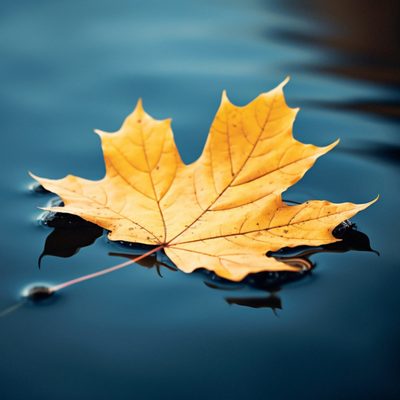
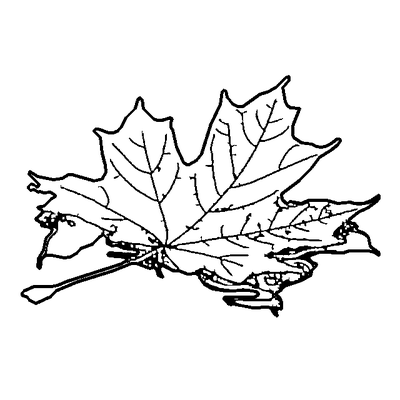
An outline is the simplest line treatment of a photo: the outer contour of your subject plus only the most essential interior edges, drawn as bold, clean lines. It deliberately keeps less detail than line art, giving a more geometric, easy-to-follow result.
That simplicity is the point. Bold outlines are ideal for tracing practice, simple coloring pages for young children, icon and logo design, and clean graphic looks where fine detail would only add clutter.
Our AI prioritises the outer contour, filters out noise and minor texture, and lets you adjust how much edge detail to keep — then exports the outline as a print-ready PNG or an editable SVG.
AI handles the complex image processing automatically
High contrast between the subject and background gives the cleanest, boldest outline.
The AI prioritises the outer contour of your subject and trims interior noise and texture.
Slide from a single bold outline to a moderate-detail edge drawing to match your project.
Export a clean outline as a print-ready PNG or editable SVG for tracing and design.
Focuses on outer edges with minimal interior lines — cleaner and simpler than full line art.
Thick, clear strokes are perfect for kids' coloring pages and tracing practice.
Simple geometric outlines make a strong base for icon sets and graphic marks.
Choose exactly how much edge detail the outline keeps, from minimal to moderate.
Simpler line work means quick processing and small, clean files.
Tidy up or strengthen the contour in the browser editor before exporting.
Outlines focus on the main contours and edges of subjects, while lineart includes more internal details like facial features, texture, and shading lines.
Yes, outlines work well for coloring pages, especially for younger children who benefit from simpler designs. For more detailed coloring pages with interior features, try our lineart converter instead.
The AI draws the outer contour of your subject and keeps only its longest interior lines, filtering out noise and minor detail. The Interior detail slider sets how many inner lines stay (at 0 you get the contour alone), and Line width sets how bold the strokes are.
Photos with strong contrast between the subject and background produce the cleanest outlines. Well-lit images with distinct edges and minimal background clutter give the best results for tracing and design work.
Upload the image at the top of this page, crop to your subject and let the AI trace its edges. Use the Interior detail slider to keep more or fewer inner lines and Line width for thinner or bolder strokes, then download the outline as a PNG or SVG. It is free, with no account and no watermark, and works with JPG, PNG and WEBP images up to 10MB.
Upload your image now and get a professional vector file in seconds