1
Upload a Portrait or Reference
Drop in a person, pet, or illustration reference. Clear, well-lit subjects produce the cleanest lines.
Extract beautiful lineart from any photo using AI. Perfect for coloring pages, illustrations, tattoo stencils, and artistic projects.
Updated · Free · No signup
Drop your photo here
or click to browse
PNG, JPG, WEBP up to 10MB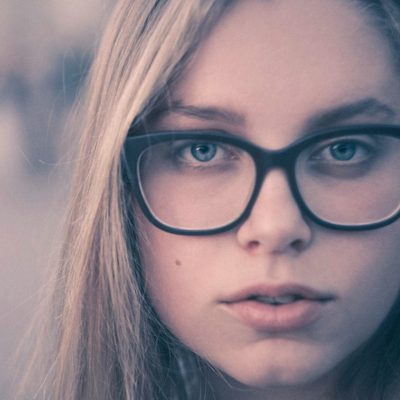
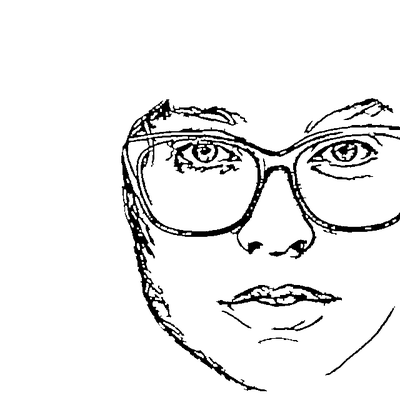
Line art reduces a photo to its expressive lines — the contours and the interior detail (facial features, the flow of hair, the folds of fabric) that make a subject recognisable, with no shading or fill. It sits between a plain outline (outer edges only) and a solid silhouette (filled shape).
Our converter uses an edge-detection model (ControlNet-based) that understands what's in the photo, so it keeps the lines that matter and drops photographic noise. You decide how much detail to keep: fewer lines for a clean coloring page, more for a detailed tattoo reference or illustration base.
The output works as a print-ready coloring sheet, a starting layer for digital illustration, or a clean stencil reference for tattoo artists.
AI handles the complex image processing automatically
Drop in a person, pet, or illustration reference. Clear, well-lit subjects produce the cleanest lines.
A ControlNet-based model traces contours and key interior detail while filtering out shadows and noise.
Dial detail down for simple coloring pages, or up for tattoo references and detailed illustrations.
Export clean lineart as a print-ready PNG or an editable SVG for further artwork.
Content-aware AI keeps the lines that define your subject and ignores noise — far cleaner than threshold filters.
Produces clean, closed outlines that print perfectly as coloring sheets for kids and adults.
Control line density and thickness so the same photo can become a minimal sketch or a detailed drawing.
Clean, continuous lines transfer well as tattoo stencils and reference outlines.
Erase stray lines or strengthen key contours in the built-in editor before you export.
Keeps interior features like eyes and hair flow — the detail a plain outline loses — without any greyscale fill.
Create printable coloring pages from any photo.
Transform portraits into artistic line drawings.
Use as base for digital illustrations and artwork.
Our AI model (based on ControlNet) analyzes your photo and identifies edges, contours, and important details. It then generates clean line art while filtering out noise and unnecessary details.
Absolutely! The lineart output is perfect for creating coloring pages. Just upload a photo and download the clean line drawing.
The AI handles complex photos well, but simpler subjects with clear outlines produce the best results. You can always use our editor to clean up any unwanted lines.
Upload your image now and get a professional vector file in seconds