1
Upload Your Photo
Portraits, logos, and animals all work. Strong contrast gives the boldest, cleanest stencil.
Transform any photo into a printable stencil. Perfect for spray paint art, screen printing, crafts, and DIY projects.
Updated · Free · No signup
Drop your photo here
or click to browse
PNG, JPG, WEBP up to 10MB
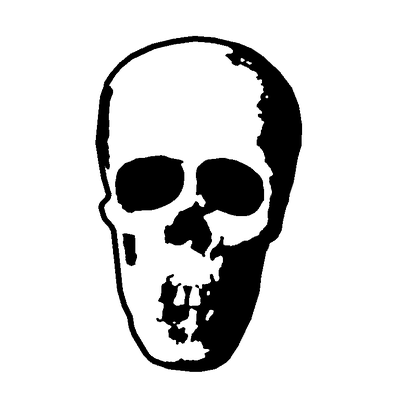
A stencil is a high-contrast, two-tone design engineered to physically hold together once you cut it out. The defining trick is bridges — small connectors that keep "island" pieces (like the centre of an O or the highlight in an eye) attached to the rest of the design, so the stencil doesn't fall apart when you remove the cut areas.
That's what separates a stencil from a silhouette or line art: it's not just a shape or a drawing, it's a cuttable positive/negative pattern. Our AI converts your photo to a clean threshold design and adds bridges automatically so the result is ready to cut.
Use it for spray-paint and street art, screen printing, etched glass, airbrushing, and craft projects on a Cricut or laser cutter.
AI handles the complex image processing automatically
Portraits, logos, and animals all work. Strong contrast gives the boldest, cleanest stencil.
The AI reduces your photo to a clean high-contrast two-tone design — the basis of any stencil.
Isolated islands are connected with bridges automatically so the stencil holds together when cut.
Export an SVG ready to print and cut by hand or send to a Cricut, Silhouette, or laser cutter.
Automatically connects floating islands so your cut stencil stays in one piece — the key difference from a silhouette.
Go bold for quick spray-paint stencils or fine for detailed multi-tone designs.
High-contrast positive/negative output is built for spray paint, airbrush, and street-art stencils.
Clean separations make the design straightforward to burn onto a screen for fabric printing.
SVG output cuts cleanly on Cricut Maker, Silhouette, and diode/CO2 laser cutters.
Process the same photo at different thresholds to build layered, multi-tone stencil art.
Create street art and graffiti stencils from photos.
Make stencils for painting, etching, and DIY projects.
Turn portraits into multi-layer stencil art.
Download the SVG, print it on cardstock or use a cutting machine to cut it. For spray paint, cut out the black areas. For screen printing, the black areas become your print.
Each download is a single-layer stencil. For a multi-layer effect, download the same photo twice: once at a high Darkness setting, sprayed first in a mid tone, and once at a low setting that keeps only the deepest shadows, sprayed on top in black.
Upload the picture at the top of this page and crop to the part you want. The AI removes the background and reduces your subject to a two-tone stencil, with bridges that keep the inner pieces attached. Move the Darkness slider for a bolder or lighter design, then download the SVG to print or send to a cutting machine.
Yes: untick Bridges on the result screen. Screen printing does not need them, because the mesh holds every island of emulsion in place, and neither does vinyl, where transfer tape holds the loose pieces. Keep them on for spray-paint stencils and for anything cut from a single sheet.
Yes. The stencil maker is free to use, with no account and no watermark on the downloaded file.
Upload your image now and get a professional vector file in seconds