1
Upload Your Design Photo
Upload a photo, logo, or artwork you want to cut on your CNC router or plasma table.
Create CNC-ready vectors from photos. Optimized paths for plasma cutters, CNC routers, and water jets.
Updated · Free · No signup
Drop your photo here
or click to browse
PNG, JPG, WEBP up to 10MB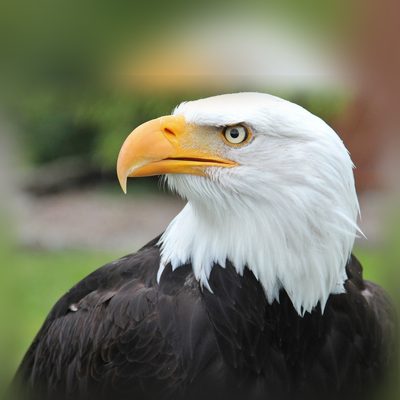
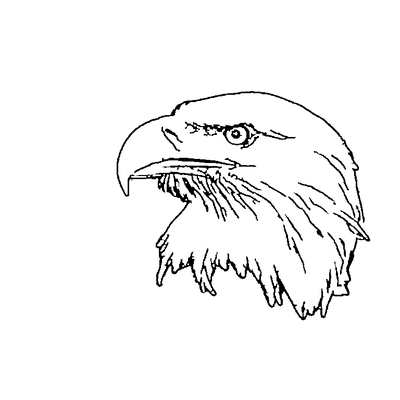
AI handles the complex image processing automatically
Upload a photo, logo, or artwork you want to cut on your CNC router or plasma table.
Crop to your subject. Remove any background clutter that would create unwanted toolpaths.
AI turns the photo into a two-tone cut design with smooth curves, drops details too small to cut, and adds bridges so inner pieces stay attached to the sheet.
Download SVG and import into Fusion 360, VCarve, SheetCAM, or your CAM software for toolpath generation.
Vector paths are simplified for CNC machines - smooth curves without excessive nodes that slow down cutting or cause vibration.
The Darkness slider sets how much of the sheet is cut away, from a few bold shapes to a denser design, so you can match the result to your machine and material.
The design is traced as properly closed shapes, and bridges tie every inner piece to the sheet so nothing drops out mid-cut.
Fix the subject's shape with the mask brush, or switch to line art or an outline for V-carving, before exporting to your CAM software.
SVG output imports cleanly into Fusion 360, VCarve, Aspire, SheetCAM, Mach3/4, and all major CAM platforms.
Prepare your cutting files without needing Illustrator or CorelDRAW. Everything runs in your browser.
Our tool outputs raw vectors without kerf compensation. Apply your material-specific kerf offset in your CAM software for accurate cuts.
We output SVG which can be easily converted to DXF in most CAM software or using free tools like Inkscape.
The vector output works for virtually any CNC-compatible material including mild steel, stainless steel, aluminum, wood, plywood, MDF, acrylic, HDPE, and foam board. Adjust your path simplification based on material thickness and machine capability.
Import the SVG into your CAM software (Fusion 360, VCarve, SheetCAM, etc.) which will generate G-code based on your machine settings, tool diameter, feed rates, and material thickness. Most CAM programs make this a straightforward process.
Minimum detail depends on your bit diameter - typically 1/8 inch for standard routing. The cut design already drops cut-outs and islands that are too small relative to the whole design. If details are still smaller than your bit at the size you cut, scale the design up or lower Darkness so fewer areas are cut out.
Not with the default cut design. Bridges tie every piece that would come loose back to the rest of the sheet, and large pieces get a second bridge so they cannot swivel. If you are V-carving or engraving rather than cutting through, switch to Line art or Outline on the result screen.
Upload your image now and get a professional vector file in seconds