1
Upload a Raster Image
Any format, any type — photos, logos, illustrations, scans. JPG, PNG, WEBP, GIF, BMP up to 10MB.
Turn any raster image into clean, editable vector paths. Professional-grade vectorization for design, print, and manufacturing.
Updated · Free · No signup
Drop your photo here
or click to browse
PNG, JPG, WEBP up to 10MB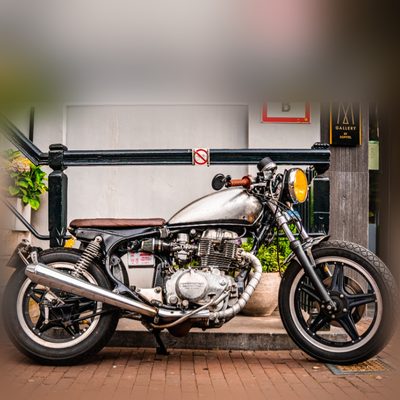
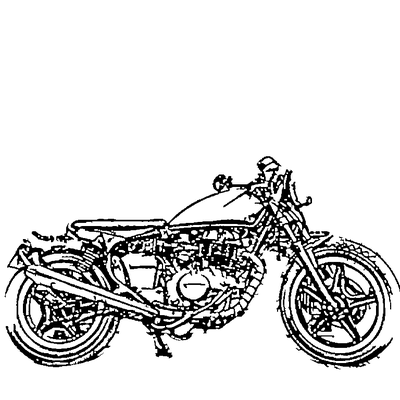
Vectorization rebuilds a pixel-based (raster) image as mathematical paths and curves. The result scales infinitely, edits cleanly, and feeds directly into professional workflows — which is why design studios, print shops and fabrication shops vectorize before they produce anything at scale.
This page is the broad, outcome-focused version of that job. Where image to SVG emphasises the web-native file format, image to vector emphasises the use: clean closed paths suitable for Illustrator and CorelDRAW, large-format print, CNC routing, plasma and laser cutting.
Our AI separates subjects from backgrounds and generates smooth, editable paths you can take straight into production — no manual tracing required.
AI handles the complex image processing automatically
Any format, any type — photos, logos, illustrations, scans. JPG, PNG, WEBP, GIF, BMP up to 10MB.
The AI extracts paths, shapes and lines, separating your subject from the background automatically.
Fewer paths for clean, simple designs; full detail for complex artwork and portraits.
Export clean SVG paths ready for Illustrator, CorelDRAW, CNC, and cutting machines.
Clean, closed vector paths built for design agencies, print shops, and fabrication — not just quick previews.
Fine-grained control over node count and detail so output suits everything from logos to detailed art.
Standard SVG paths open and edit cleanly in Illustrator, Inkscape, CorelDRAW, and Figma for further work.
Closed, well-formed paths import correctly into CNC, plasma, and laser cutting software.
Replace hours of pen-tool work — the AI vectorizes the whole image automatically.
The AI understands image content and separates subject from background for usable results.
We accept JPG, JPEG, PNG, WEBP, GIF, and BMP files up to 10MB. For best results, use high-resolution images with clear subjects and good contrast between foreground and background.
Simple tracing tools use basic threshold detection that produces noisy, artifact-filled results. Our AI understands image content, separates subjects from backgrounds, and generates clean vector paths that are actually usable for professional work.
Yes, logos are one of the best use cases for vectorization. The AI handles both simple graphic logos and more complex illustrated logos. For text-heavy logos, you may want to clean up letterforms in the built-in editor for the sharpest results.
Absolutely. The SVG output contains standard vector paths that can be edited in any vector software including Adobe Illustrator, Inkscape, CorelDRAW, and Figma. You can also use our built-in editor to make changes before downloading.
Upload your image now and get a professional vector file in seconds