1
Upload Your Photo
A profile shot or a subject on a plain background works best for a crisp, recognisable silhouette.
Transform any photo into a clean silhouette vector. Perfect for decals, signs, wall art, and personalized gifts.
Updated · Free · No signup
Drop your photo here
or click to browse
PNG, JPG, WEBP up to 10MB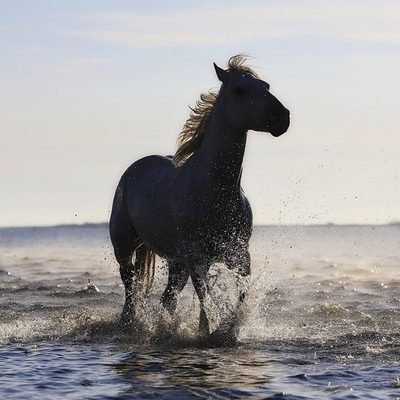
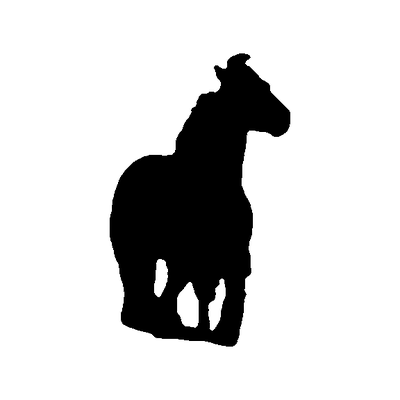
A silhouette is a single solid shape — your subject filled in one colour against an empty background, with no interior lines. Unlike line art, which keeps interior detail, a silhouette is defined entirely by its outline, which is exactly why it cuts and engraves so cleanly.
That makes silhouettes the go-to for vinyl decals, wall art, signage, cameo gifts and shadow boxes: there are no inner paths to weed and the bold shape reads instantly even at a glance. Profile shots and subjects on a simple background give the most recognisable result.
Our AI separates your subject from the background, smooths the edge into clean curves, and exports a single solid SVG path — one shape, one colour, ready to cut.
AI handles the complex image processing automatically
A profile shot or a subject on a plain background works best for a crisp, recognisable silhouette.
The AI removes the background and isolates your subject as one clean solid shape.
Edges are smoothed into clean curves so the silhouette cuts and prints without jagged steps.
Get a single-layer solid silhouette ready for vinyl, decals, signage, or wall art.
One solid shape with no interior paths — nothing to weed, perfect for vinyl and HTV cutting.
A clean filled shape reads clearly at any size, ideal for signs, decals, and wall art.
The AI cleanly separates subject from background even when the original photo is busy.
Tune how smooth or detailed the silhouette edge is to match your project and cutter.
Trim stray bits or refine the outline in the built-in editor before you export the SVG.
Solid filled paths import cleanly into Cricut Design Space, Silhouette Studio, and laser software.
Photos with a clear subject and simple background work best. Profile shots, standing poses, and distinct shapes create the most recognizable silhouettes.
Yes, but for best results, crop to focus on one or two subjects. Complex group photos may need manual cleanup in our editor.
Upload the photo at the top of this page and crop to your subject. The AI removes the background and fills the subject in as one solid black shape. Use the Edge smoothing slider for rounder or more detailed edges; if part of the shape is wrong, click Edit shape and paint it in or out with the mask brush. Then download the silhouette as SVG or PNG. There is nothing to install.
Yes. The silhouette maker is free to use, with no account and no watermark on the downloaded file.
Yes. You can upload JPG, PNG or WEBP images up to 10MB, and the silhouette is made the same way whichever format you start from.
Upload your image now and get a professional vector file in seconds