1
Upload Your Photo
Drag and drop any photo - portrait, pet, logo, artwork. JPG, PNG, WEBP up to 10MB.
Transform any photo into clean vector lineart, silhouettes, and stencils. One-click AI conversion for laser engraving, CNC, vinyl cutting, tattoos, and more.
Drop your photo here
or click to browse
PNG, JPG, WEBP up to 10MB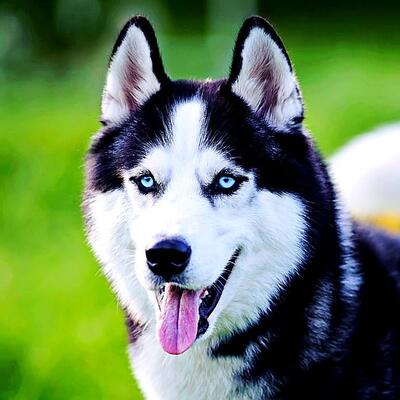
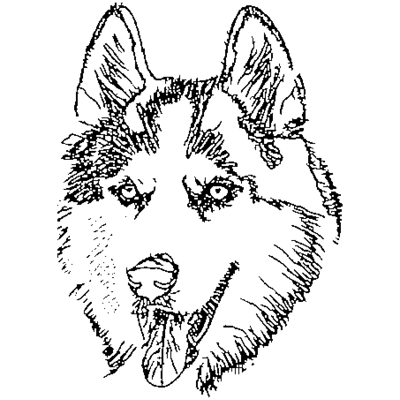
One tool, endless possibilities. Create perfect vectors for any application.
Perfect vectors for EZCAD, LightBurn, Glowforge. Portrait engravings, medallions, wood & metal.
Clean contours for CNC routers and plasma cutters. DXF-ready artwork for metal signs and wood projects.
SVG cut files for Cricut, Silhouette, and vinyl cutters. T-shirts, decals, stickers, and heat transfer.
Clean lineart for thermal transfer stencils. Convert reference photos to print-ready designs.
High-contrast separations for screen printing. Single-color artwork ready for film output.
AI handles the complex image processing automatically
Drag and drop any photo - portrait, pet, logo, artwork. JPG, PNG, WEBP up to 10MB.
Select the area you want to convert. Square or free-form crop to focus on what matters.
Background removal, lineart extraction, noise cleanup, and vectorization - all automatic.
Get your vector file ready for any software - laser, CNC, vinyl cutter, or design app.
Replace hours of manual Photoshop work. Our AI handles background removal, lineart extraction, noise cleanup, and vectorization automatically.
Advanced AI models preserve facial features and fine details. Clean vectors optimized for professional output without artifacts.
Fine-tune every step. Edit masks, adjust thresholds, clean up lines with brush tools - all in browser with real-time preview.
No software to install. Works on any device - Windows, Mac, Linux, even tablets. Secure processing, no permanent storage.
Advanced lineart editor with brush, eraser, and AI-assisted cleanup. Fix artifacts or redraw sections before export.
SVG output works everywhere: EZCAD, LightBurn, Cricut Design Space, Silhouette Studio, CorelDRAW, Illustrator, and more.
Create stunning portrait engravings from photos for gifts, memorials, and personalized items.
Turn beloved pet photos into beautiful laser-engraved keepsakes and memorial pieces.
Design unique vinyl heat transfers and screen print artwork from any image.
Custom medallions, challenge coins, wooden signs, and decorative panels with perfect vector output.
Your images are processed securely and never stored permanently. Files are auto-deleted after your session.
No signup required. No tracking of your uploads. Your photos stay yours - we don't use them for AI training.
No hidden costs, no watermarks, no premium tiers. The full tool is completely free to use.
Created by laser engraving enthusiasts who understand the workflow. We use this tool daily ourselves.
Our converter accepts PNG, JPG, JPEG, and WEBP image formats up to 10MB. For best results, use high-resolution photos with good lighting and clear subject separation from background.
The tool exports optimized SVG (Scalable Vector Graphics) files. SVG is universally compatible with laser engraving software, vinyl cutters, CNC machines, and design applications like Adobe Illustrator and CorelDRAW.
Yes, Photo2Vector is completely free to use. There are no watermarks, no signup required, and no limits on the number of conversions. Your images are processed securely and not stored permanently.
Our pipeline uses multiple AI models: background removal (rembg), lineart extraction (ControlNet), and intelligent vectorization (VTracer). The process includes automatic image normalization, noise cleanup, and path optimization.
Absolutely! Every step of the pipeline can be fine-tuned. You can adjust the background mask, modify lineart threshold, clean up artifacts with built-in brush tools, and regenerate any step with different parameters.
The SVG output works with virtually all laser, CNC, and design software: EZCAD, LightBurn, LaserGRBL, Cricut Design Space, Silhouette Studio, Adobe Illustrator, CorelDRAW, Inkscape, and more.
Upload your image now and get a professional vector file in seconds